> ## Documentation Index
> Fetch the complete documentation index at: https://docs.bult.ai/llms.txt
> Use this file to discover all available pages before exploring further.
# Custom Domains
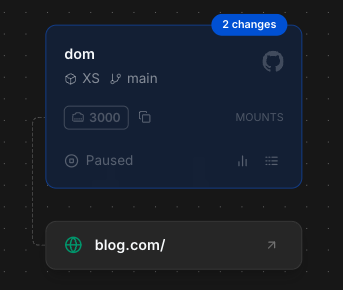
Manage custom domains in **app.bult.ai/domains** to expose services with branded URLs (e.g., blog.com).
Free tier supports 1 custom domain; Pro offers unlimited.
## **Step 1:**
* **Setup**:
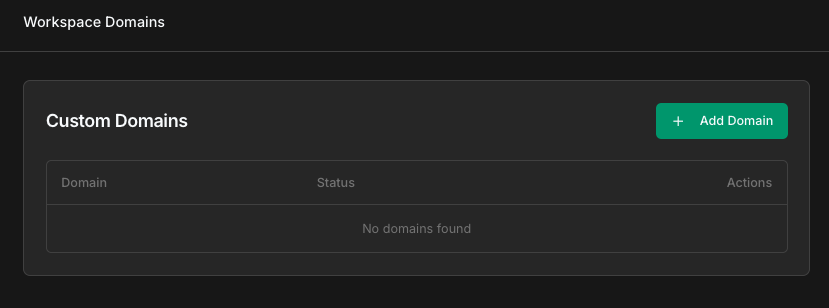
1. Go to "**Domains**" page - [app.bult.ai/domains](https://app.bult.ai/domains).
2. Click “**Add Domain**”.
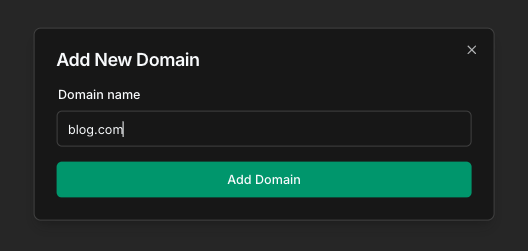
 3. Enter domain: for example, **blog.com.**
 4. Configure DNS with CNAME to auto-generated value (e.g., [gj7g3dvv.fin1.bult.app](http://gj7g3dvv.fin1.bult.app).).
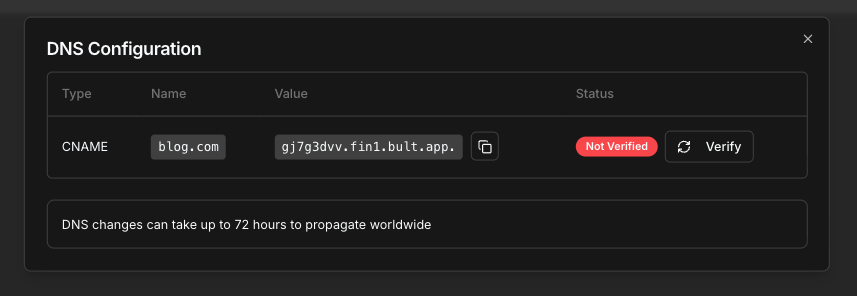 5. Click “**Verify**” (DNS propagation may take 72 hours).
* **Status**:
* **Not Verified**: DNS not propagated.
* **Verified**: Ready to use.
* **Actions**:
* **DNS Configuration**: View CNAME details.
* **Delete Domain**: Irreversible; confirm in “Delete Domain” prompt.
* **Auto-Generated URLs**: Default URLs (e.g., [https://blog.fin1.bult.app](https://blog.fin1.bult.app)) provided for all services.
* **Security**: Automatic SSL for all domains (custom and auto-generated).
* **Limits**: Free tier: 1 custom domain. Pro: unlimited domains, prioritized DNS verification.
## **Step 2:**
1. Go to your project.
2. Select your service.
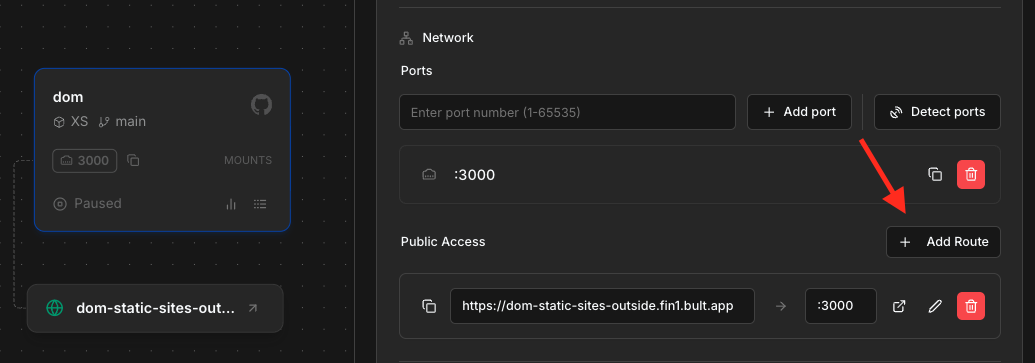
3. In "**Edit Service**" window, click "**Add Route**".
5. Click “**Verify**” (DNS propagation may take 72 hours).
* **Status**:
* **Not Verified**: DNS not propagated.
* **Verified**: Ready to use.
* **Actions**:
* **DNS Configuration**: View CNAME details.
* **Delete Domain**: Irreversible; confirm in “Delete Domain” prompt.
* **Auto-Generated URLs**: Default URLs (e.g., [https://blog.fin1.bult.app](https://blog.fin1.bult.app)) provided for all services.
* **Security**: Automatic SSL for all domains (custom and auto-generated).
* **Limits**: Free tier: 1 custom domain. Pro: unlimited domains, prioritized DNS verification.
## **Step 2:**
1. Go to your project.
2. Select your service.
3. In "**Edit Service**" window, click "**Add Route**".
 4. Select your **domain** in the dropdown list.
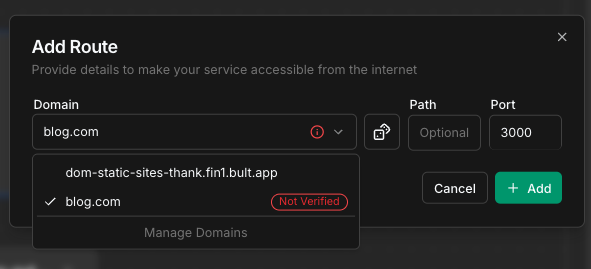 5. Click "**Add**".